Hubspace
- 4.6
- Rating
- 1.00M
- Installs
- Free
- Price

 Analysis by App-foxy
I like smart-home apps most when they make ordinary routines less annoying rather than turning the house into a science project. Hubspace takes that practical route. It is a free House & Home app from Afero, designed to bring compatible home devices into one place so you can check and control them from your phone. The basic idea is simple, but the value depends heavily on how carefully you set it up and whether your devices fit the Hubspace ecosystem.
After spending time with it, my impression is that Hubspace works best as a calm, repeatable control center. I would not choose it simply because the phrase “smart home” sounds appealing. I would choose it when I wanted a straightforward way to manage compatible lights, appliances, or other household equipment without jumping between several manufacturer apps. That distinction matters: the app can simplify a home, but it cannot make incompatible hardware cooperate.
How Hubspace fits into an everyday home routine
The first useful habit is to treat setup as the foundation rather than something to rush through. I would begin by adding devices one at a time, giving each one a clear name, and checking that the name makes sense when seen quickly on a phone. “Bedroom lamp” is more useful than a vague product label, especially when you are tired or trying to switch something off before leaving the house.
You May Also Like

 Blood Strike: 2.5 Anniversary
Blood Strike’s Loadouts Turn Every Drop Into a Tactical Gamble
A close look at Blood Strike’s custom loadouts: how fast access to signature weapons reshapes its battle royale rhythm, rewards preparation, and narrows the gap between fights.

 Pandora - Music & Podcasts
Pandora’s Music Is Easy to Start, but Harder to Recover
Pandora’s strength is its low-effort path from a seed to a station. Its weak spot is how much confidence it asks you to place in connection, setup, and quiet recovery.

 8 Ball Pool
 Is Built on Rivalries, Rematches, and Routine
A close look at the rivalries, rematches, shared routines, and unanswered safety questions that turn a quick pool match into a persistent mobile community.

 Samsung Music
’s Quiet Strength Is Playing What You Already Own
Its reach comes less from spectacle than from dependable access to a personal library. That simplicity is both the app’s strongest retention engine and its ceiling.

 AccuWeather: Weather Radar
AccuWeather Review: A Quick, Clear Forecast for Everyday Decisions
For everyday plans, the best forecast is the one you can understand quickly. AccuWeather makes rain timing, radar, and local conditions easy to act on, with a few trade-offs.

 Hill Climb Racing
Why Hill Climb Racing Still Turns Crashes Into One More Run
A tiny car, a bumpy hill and one more upgrade: Hill Climb Racing keeps resurfacing because its simple chaos makes every near-miss feel personal.
More From Our News Desk



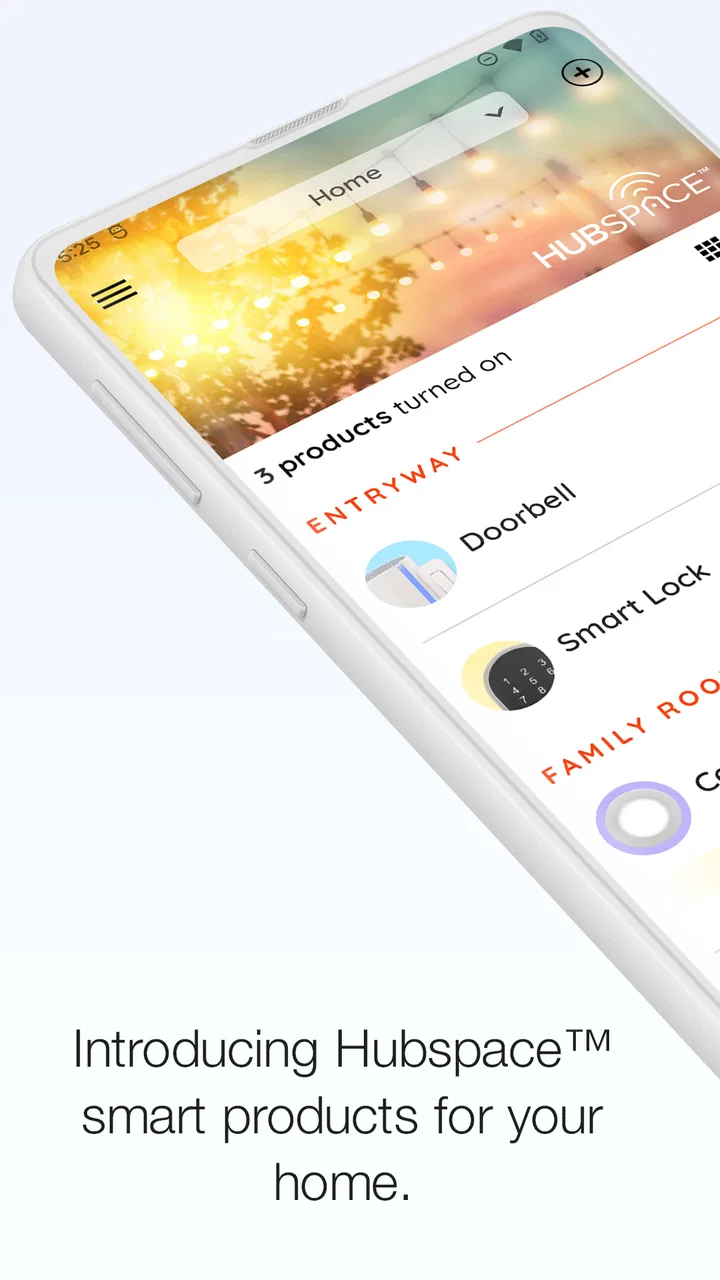
Once the devices are organized, the ordinary workflow is refreshingly direct: open Hubspace, find the relevant device, and make the adjustment. That could mean changing a light, checking an appliance, or handling another supported product without opening a separate app. The benefit is not dramatic every time. It is the small reduction in friction that appears repeatedly throughout the week.
A realistic example is an evening when I am already in bed and realize that a downstairs light is still on. With a compatible device already configured, I can use the app instead of getting up or searching for the manufacturer’s separate control. The same arrangement is useful when leaving home: I can make a quick pass through the app rather than relying on memory alone.
That convenience depends on good organization. If several devices have unclear names, the central dashboard becomes a list of guesses. I recommend naming items by room and purpose, then keeping those names consistent. If a device moves to another room, update its identity immediately instead of postponing the cleanup. A few minutes of maintenance can prevent repeated mistakes later.
Hubspace is also easier to evaluate when you separate two questions: “Can I control this device?” and “Does this replace every feature of the original app?” The first question is about compatibility and basic access. The second is much more demanding. A dedicated manufacturer app may still offer product-specific controls, detailed status information, or setup tools that a broader home-control app does not emphasize.
That is why I see Hubspace as a useful common layer, not automatically a complete replacement for every companion application. If you own only one device and its original app already feels effortless, moving over may not change much. If you have several supported products and dislike switching between apps, the advantage becomes more convincing.
The setup decisions that save time later
I would pay attention to the account and device structure before adding everything in a hurry. Use a login you can reliably access, and keep the phone used for setup close to the device during the initial process. Smart-home troubleshooting is much easier when you know which device was added first, which room it belongs to, and whether the problem is with the app or the hardware.
Another useful practice is to test each device immediately after adding it. Do not wait until you have configured the entire home. Turn it on, turn it off, and try the main adjustment you expect to use. If something goes wrong, you then have a small, clearly defined problem instead of a large collection of uncertain devices.
I also recommend keeping the physical controls usable. A phone app is convenient, but household members may still use a wall switch, a remote, or the controls built into an appliance. A smart-home arrangement feels successful when it supports normal life rather than forcing everyone to follow one narrow method.
The app is rated for Everyone, which makes its approachable design a good fit for a shared household. Still, “easy to use” does not mean every family member will understand the device layout immediately. Clear names and a short explanation of what each control does are more valuable than adding complexity for its own sake.
Settings and habits worth checking before daily use
When I review a home-control app, I do not stop after confirming that a button works. I check how the app behaves when the phone is used casually, when several devices are present, and when I need to recover from a failed action. Hubspace deserves that same practical inspection.
Start with notifications and access habits. If the app offers alerts for a device or household event, enable only the ones that would genuinely change your behavior. Too many minor notifications make important messages easier to ignore. On the other hand, a carefully chosen alert can be useful for a device that needs attention or for a routine you do not want to forget.
It is also worth checking how the app presents device status after an action. A tap is not the same as confirmation. If a light does not respond, I would avoid repeatedly pressing the control without first checking whether the device is reachable, whether the household connection is working, or whether the physical device is powered. Repeated commands can create confusion when the first request is simply delayed.
Keep the app and phone operating system reasonably current, especially when a device has recently been added or the app has changed behavior. Hubspace currently lists version 2.0.0 and supports Android starting with version 5.0, so it remains accessible to older Android phones. Even so, an older handset can introduce its own limitations through battery-saving rules, slow background behavior, or an outdated wireless setup.
That is an important distinction for troubleshooting. If the app opens but actions are unreliable, the cause may not be Hubspace itself. I would test the phone close to the home network, confirm that the device has power, and try again before removing and re-adding anything. Rebuilding a device setup should be a later step, not the first reaction.
For a shared home, decide who needs full control and who only needs occasional access. I prefer a small, deliberate arrangement over handing access to everyone without explanation. The more people who rename devices, change settings, or reorganize rooms, the harder it becomes to know whether a problem is technical or simply the result of a recent change.
Faster patterns for repeatable control
The biggest improvement comes from reducing decisions. Instead of opening the app and scanning every device, arrange your routine around the few actions you perform most often. If the same light or appliance is used every morning, make its name unmistakable and keep it easy to find. If your home contains many products, group your thinking by room rather than by brand.
I find this more reliable than trying to control everything from memory. A repeatable pattern might be a quick morning check, a leaving-home check, and an evening shutdown. Hubspace becomes more useful when those checks are specific: turn off the entry light, confirm the bedroom device, and verify the appliance that is most likely to be forgotten.
There is a trade-off here. A central app can reduce app switching, but it can also encourage people to put too many controls in one place without a clear structure. The answer is not adding more layers. It is deciding which controls deserve attention and which ones are better left alone unless needed.
I would also use the app alongside physical habits rather than expecting it to replace them. For example, before leaving, I might use Hubspace for a remote check but still glance around the kitchen. That combination is safer than assuming a phone screen always tells the whole story. Smart control is a backup and convenience tool; it is not a substitute for sensible awareness of the home.
Another practical tip is to make one change at a time when experimenting. If you alter several device settings together and the result is unexpected, you will not know which change caused it. Test a single adjustment, observe the result, and then keep or undo it. This approach feels slower at first but saves time when the system grows.
For people who travel, remote access can be appealing because it offers a way to check or adjust compatible devices while away. I would use that feature conservatively. Before depending on it during a trip, test it from outside the home and make sure the device behavior is clear. A remote control that has never been tested is not a dependable travel routine.
Where the app is strong, and where its limits matter
Hubspace’s strongest point is concentration. Instead of remembering several product-specific apps, I can approach supported household devices through one familiar place. That is especially helpful for people who value a simple phone workflow over a deep technical dashboard.
Its limitation is the same one shared by most ecosystem-based home apps: compatibility determines the experience. Hubspace cannot turn every light, appliance, or accessory into a supported device. Before buying hardware with the intention of using this app, I would confirm that the exact product is compatible rather than assuming that a similar model will work.
I would also avoid expecting the app to behave like a full automation platform unless the specific devices and controls clearly support the routines I want. Some users need detailed scenes, broad third-party compatibility, complex triggers, or extensive integrations. For them, a more open smart-home system may be a better choice, even if it takes longer to configure.
On the other hand, a more advanced platform can create its own problems. More integrations mean more accounts, more permissions, more possible connection failures, and more time spent maintaining the system. Hubspace is attractive precisely when I want to avoid turning home control into a hobby.
The app’s free price lowers the barrier to trying it, but “free” does not remove the cost of compatible hardware or the time needed to configure it properly. I would judge the value by the number of repeated hassles it removes. If it saves me from managing several device apps every day, it earns its place. If I only have one rarely used product, the benefit may be modest.
Its audience is broad, reflected in an average rating of 4.7 from around 44 thousand ratings and more than a million installs. Those figures suggest that the straightforward approach resonates with many people, but they should not replace a compatibility check. A popular app can still be the wrong fit for a home built around another ecosystem.
There is also a personal preference involved in remote control. Some people enjoy having every device available from a phone. Others prefer local switches and minimal connected equipment. I would recommend Hubspace to the first group, especially when they already own compatible products. For someone who wants a completely offline home or dislikes account-based setup, a traditional non-connected alternative may be more comfortable.
Who should use Hubspace, and who should look elsewhere
I think Hubspace is a good match for renters, families, and homeowners who want a manageable starting point for compatible smart-home products. It is also sensible for someone who has accumulated devices from the same supported ecosystem and wants a single everyday control point instead of a collection of separate apps.
It is less suitable for a person who wants to mix nearly every brand, build elaborate automation logic, or inspect technical details at a very deep level. That user may be happier with a platform designed around broad integrations and advanced customization. The extra power comes with extra setup, but it may be worth it for a technically demanding home.
I would also hesitate to recommend it to someone who expects the app alone to solve unreliable Wi-Fi, weak device placement, or poor hardware. A control app cannot compensate for a device that loses power or a network that does not reach the room. Good results begin with stable equipment and realistic expectations.
For older Android phones, the minimum operating-system support is Android 5.0, which is helpful if you are not using a recent handset. Still, I would consider the phone’s overall performance and battery restrictions before blaming the app for sluggish behavior. A supported operating system is only one part of a smooth experience.
My verdict after building a repeatable routine
Hubspace is not exciting because it adds endless complexity; it is useful because it can remove some. I like it as a practical control layer for compatible home devices, particularly when the alternative is opening several manufacturer apps for simple actions. The best experience comes from clear device names, careful testing, restrained notifications, and routines that match how the household already works.
My recommendation is straightforward: try it when your hardware is compatible and your goal is easier daily control. Start small, confirm each device, and build habits around the actions you repeat most. Do not choose it if your priority is maximum interoperability or highly technical automation. In that case, another platform may serve you better.
For everyone else, Hubspace is most successful when treated as a dependable household shortcut, not a magic replacement for every smart-home tool. Developed by Afero, it has the accessible profile of a free app for everyday users, with a current version of 2.0.0 and an Everyone age rating. I would recommend it to a friend who wants less app juggling and is willing to spend a little time organizing the home properly.
My final advice is to judge it after a normal week rather than after the first successful tap. Notice whether you reach for it naturally, whether the device names make sense to everyone at home, and whether it reduces real friction. If the answer is yes, the app has earned its place. If you still need the original apps for nearly everything important, keeping Hubspace may only add another layer instead of simplifying the house.
In my experience, that honest test is the difference between a smart-home app that looks useful and one that actually becomes part of the household routine. Hubspace does not need to control every corner of a home to be worthwhile; it needs to make the supported parts easier to live with.
FAQs for Hubspace
01What is Hubspace, and how does it work?
Hubspace is a smart home application designed to integrate and control various smart devices from a single platform. It allows users to manage lighting, thermostats, and other smart home devices through a user-friendly interface. The app connects to your devices via Wi-Fi or Bluetooth, enabling you to customize settings, schedule operations, and monitor device status remotely.
02Is Hubspace compatible with all smart devices?
While Hubspace supports a wide range of smart devices, it is essential to check compatibility before purchasing. The app primarily supports devices from major brands like Google, Amazon, and others listed on their compatibility page. Regular updates often expand device support, so it's worth checking the app's official website for the latest information.
03How secure is my personal data on Hubspace?
Hubspace prioritizes user security by implementing encryption and secure cloud storage solutions. Your data, including device information and personal settings, is protected through advanced security protocols. Users are encouraged to use strong, unique passwords and enable two-factor authentication for enhanced security.
04Does Hubspace require a subscription for full access?
Hubspace is free to download and use, with no mandatory subscription required for basic functionalities. However, some advanced features or integrations may be available through optional in-app purchases or subscriptions. It’s advisable to review the app's pricing structure within the app store or on their website for detailed information.
05Can I control Hubspace devices using voice commands?
Yes, Hubspace is compatible with popular voice assistants like Amazon Alexa and Google Assistant. By linking your Hubspace account to these voice platforms, you can control your devices using simple voice commands. This integration allows for hands-free operation and enhances the overall smart home experience.
Pros
- User-friendly interface for easy navigation.
- Seamless integration with smart devices.
- Responsive customer support team.
- Regular updates enhance functionality.
- Customizable settings for user preferences.
Cons
- Limited compatibility with older devices.
- Occasional connectivity issues reported.
- Some features require premium access.
- Battery drain on prolonged use.
- In-app ads can be disruptive.

Hubspace
Gallery